
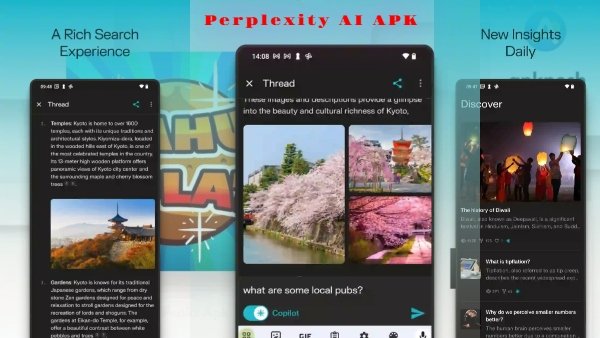
Perplexity AI APK is an AI-powered search and answer application that helps users research topics, ask questions, explore information, and continue conversations around a subject. Instead of opening multiple search results and reading through every page, users can ask a question and receive an AI-generated response with supporting sources.
The app can be useful for students, professionals, researchers, content creators, and general users who want to explore information from their Android device.
Perplexity can handle different types of questions, from everyday searches and explanations to research-oriented queries. Users can also ask follow-up questions to continue exploring the same topic.
If you are installing Perplexity through an APK, always verify the version, package type, file size, Android compatibility, and source before opening the file.
In This Post, You Will Learn
- What Perplexity AI APK is
- What Perplexity AI is used for
- Main AI search and research features
- How to ask questions
- How to use follow-up searches
- How to download Perplexity AI APK
- How to install the APK on Android
- APK safety tips
- Frequently asked questions
Perplexity AI APK Latest Version Download
App Information
| Information | Details |
|---|---|
| App Name | Perplexity – Ask Anything |
| Developer | PerplexityAI |
| Category | Productivity / AI |
| Platform | Android |
| Version | v2.98.0 |
| Size | 190.58 MB |
| Android Requirement | Android 12L+ for the universal variant |
| Package Name | ai.perplexity.app.android |
| Available on | Google Play |
What Is Perplexity AI?
Perplexity AI is an AI-powered search and research application. It combines search with conversational AI so users can ask questions in natural language and explore the resulting information through follow-up questions.
Unlike a traditional search page that mainly presents a list of links, Perplexity is designed to provide a direct answer and supporting sources that users can open for additional context.
The quality and accuracy of an AI answer can vary, so important information should always be checked against reliable sources.
What Can You Use Perplexity AI For?
Perplexity can be useful for many everyday and research tasks, including:
- Learning about unfamiliar topics
- Explaining difficult concepts
- Researching technology
- Exploring historical information
- Comparing products or ideas
- Finding background information
- Brainstorming content ideas
- Summarizing information
- Asking follow-up questions
- Exploring current topics through web search
The usefulness of a response depends on the question, available sources, and information returned by the service.
AI-Powered Answers
You can ask Perplexity a question using natural language instead of creating a search query with several keywords.
For example:
“How does solar energy work?”
Perplexity can provide an explanation and, where available, supporting sources for further reading.
For important subjects, users should still verify the information rather than treating an AI response as automatically correct.
Source-Based Research
One of the useful aspects of Perplexity is its focus on sources.
When sources are provided with an answer, you can open them and review the original information yourself. This can be particularly useful when researching a topic where accuracy and context are important.
Sources should still be checked carefully because an AI-generated response can sometimes misunderstand or incorrectly summarize information.
Follow-Up Questions
You do not always need to start a completely new search when you want more information.
After receiving an answer, you can ask a follow-up question to continue the discussion.
For example:
Question: What is cloud computing?
Follow-up: What are the main advantages of cloud computing for a small business?
This conversational approach can make longer research sessions easier to manage.
Voice Interaction
Perplexity supports voice-based interaction on supported devices and versions.
Instead of typing a question, users can use voice input when available. This can be useful when travelling, working, or when typing is inconvenient.
AI Research Tools
Depending on the current account and plan, Perplexity may provide additional AI-powered tools for research, search, and content-related tasks.
The exact tools available can change over time, so avoid publishing a fixed list of premium features unless they have been verified for the specific version.
Personal Search History and Library
Perplexity can provide ways to access previous searches or conversations, depending on the current application and account features.
This can be useful when researching a topic over several sessions because you can return to previous conversations rather than starting from the beginning.
Also check: Character AI APK Download for Android – AI Characters, Chat & Roleplay
Useful for Students and Professionals
Perplexity can be used for learning, research, brainstorming, and general information discovery.
Students can use it to understand difficult subjects, while professionals can use it to explore technical concepts, research topics, and gather background information.
However, users should verify important information and follow their school’s or workplace’s rules when using AI-generated material.
Key Features of Perplexity AI
Conversational Search
Ask questions in natural language and continue the discussion with follow-up questions.
AI-Generated Answers
The service provides AI-generated responses based on information available through its search and research systems.
Supporting Sources
Available sources can be opened to check the information behind an answer.
Follow-Up Research
Continue asking questions about the same topic without repeatedly explaining the entire context.
Voice Input
Use supported voice features to ask questions without manually typing them.
Topic Exploration
Research subjects ranging from technology and education to science, history, business, and everyday questions.
Mobile Access
The Android application allows users to access supported Perplexity features from a smartphone.
Free and Paid Access
Perplexity provides free access to some features, while additional capabilities may be available through paid plans.
Is Perplexity AI Free?
Perplexity provides a free level of access, while some advanced capabilities may be included in paid plans.
The available features, limits, and subscription benefits can change over time. Therefore, do not describe every feature as free or claim that a third-party “premium APK” unlocks paid functionality unless you have reliable evidence.
How to Download Perplexity AI APK
If you are downloading an APK from a third-party source, follow these steps:
Step 1: Check the exact APK version.
Step 2: Check the Android compatibility and package information.
Step 3: Click the download button provided on the page.
Step 4: Wait for the download to complete.
Step 5: Open your Android File Manager.
Step 6: Locate the downloaded APK file.
Step 7: Tap the APK file to start installation.
Step 8: If Android asks for permission to install from that source, review the permission before continuing.
Step 9: Complete the installation and open Perplexity.
How to Install Perplexity AI APK on Android
- Download the compatible APK.
- Open your Android File Manager.
- Locate the downloaded APK.
- Tap the file.
- Allow installation from the selected source if Android requests permission.
- Tap Install.
- Wait until the installation finishes.
- Open Perplexity.
- Sign in or continue according to the available options.
Does Perplexity AI APK Require an OBB File?
A standard Perplexity Android APK should not be assumed to require an OBB file.
Do not add a generic OBB installation tutorial to this article unless the specific package you are hosting actually contains an OBB or additional data files.
APK Safety Tips
Be careful when installing an AI application from a third-party APK source.
- Check the exact APK version.
- Verify the package name when possible.
- Download from a trustworthy source.
- Scan the APK before installation when possible.
- Avoid modified APKs from unknown sources.
- Be especially careful with files claiming to unlock paid features.
- Never provide your Google password, banking information, OTP, or other sensitive information to an unknown website.
- Keep Android security features enabled.
Because Perplexity can be connected to user accounts and used for research, protecting your login information is important.
Pros & Cons
Pros
- Conversational AI search experience
- Useful for research and learning
- Supports follow-up questions
- Provides sources for many answers
- Supports voice interaction on supported versions
- Useful for students and professionals
- Can help explore a wide range of topics
Cons
- AI responses can sometimes contain errors
- Some advanced features may require a subscription
- Free usage may have limitations
- Many features require an internet connection
- Third-party APK files can introduce security risks
What’s New in Perplexity AI?
Do not use a generic changelog such as:
- Better AI search
- Improved performance
- Bug fixes
- Better voice interaction
unless these changes have been confirmed for the exact version.
For APKPosh, the better approach is to publish the actual release notes for the version you are hosting. If verified release notes are unavailable, simply state:
Features and improvements may vary depending on the installed version. Check the release information for the specific version before updating.
Frequently Asked Questions
What is Perplexity AI APK?
Perplexity AI APK is the Android installation package for the Perplexity AI search and answer application.
What is Perplexity AI used for?
It can be used for research, learning, answering questions, exploring topics, brainstorming, and finding information through conversational search.
Is Perplexity AI available on Android?
Yes. Perplexity provides an Android application for supported devices.
Is Perplexity AI free?
Perplexity offers free access to some features, while additional capabilities may require a paid plan.
Does Perplexity AI require the internet?
Most AI search and research features require an active internet connection because the service needs to search, retrieve, and process online information.
Can I ask Perplexity follow-up questions?
Yes. Conversational follow-up questions are an important part of the Perplexity experience.
Does Perplexity provide sources?
Perplexity can provide supporting sources with its answers. Users should open and check the original sources when accuracy is important.
Does Perplexity AI require an OBB file?
A standard APK should not automatically require an OBB file. Check the actual package before providing OBB instructions.
Is Perplexity AI APK safe?
The safest approach is to use an official or trustworthy source. If installing a third-party APK, verify the file and avoid modified packages from unknown sources.
Can Perplexity AI always give correct answers?
No. AI systems can make mistakes or misunderstand information. Important information should be verified using reliable primary or authoritative sources.
Conclusion
Perplexity AI provides a convenient way to search for information and explore topics through conversational AI. Its combination of AI-generated answers, supporting sources, follow-up questions, and research-oriented tools can be useful for students, professionals, creators, and everyday users.
However, an AI answer should not automatically be treated as fact. For important subjects such as health, finance, law, or other high-stakes decisions, verify the information using reliable sources.
If you install Perplexity through an APK, check the exact version and package information first and use a trustworthy source. Avoid modified APKs that make unsupported claims about unlocking premium features.
4 thoughts on “Perplexity AI APK Download for Android – AI Search, Answers & Research”